Screenshot to Notion & Annotate
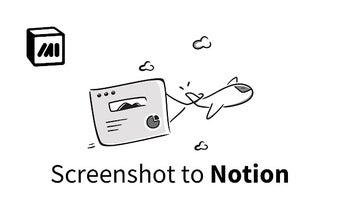
Screenshot to Notion is a free plugin from Markup Hero that enhances the functionality of Notion by allowing users to instantly capture and embed website and scrolling screenshots directly into documents and databases. With this plugin, users can easily add annotations, such as arrows, callouts, and crop, to screenshots, images, and PDFs with real-time updates within Notion.
The plugin offers a range of powerful annotation tools, including text, pen, shapes, highlight, and more. Users can also edit their screenshots by cropping, blurring, adjusting colors and sizes, and even inserting additional images. Sharing screenshots is made easy with the ability to copy links for email, SMS, Slack, social media, and more. Screenshots can also be downloaded and exported as images or PDFs.
Notion users will find this plugin invaluable as it addresses common limitations within the platform. While it is easy to paste images into Notion, Markup Hero provides the ability to add arrows, highlights, and other markup, and instantly see the updates in Notion. Additionally, users can now share images or PDFs with embedded annotations within Notion, allowing for collaboration and feedback from multiple people.
Markup Hero respects privacy and ensures a seamless user experience without ads. The free version offers basic features and unlimited screenshot saving, while an upgrade to the paid version provides access to advanced editing and annotation features. Users can take advantage of a coupon code to try the pro version for free.
Overall, Markup Hero's Screenshot to Notion & Annotate plugin is an essential tool for Notion users who want to enhance their productivity, communicate clearly, and save time. Whether you're an entrepreneur, marketer, educator, or student, this plugin offers a simple and powerful solution for capturing, annotating, and sharing screenshots within Notion.